
nopCommerce Channel Integration
This guide will help you integrate your nopCommerce store (supported versions are 4.70, 4.80, 4.90, & 5.00) with Listock. Once connected, you can efficiently manage orders, shipping, and payments through your Listock dashboard.
Installation Steps
- Create your Listock account at https://listock.biz/signup. You’ll use these credentials later to connect your nopCommerce store.
- Download the Listock plugin - version 4.70, version 4.80, version 4.90 or version 5.00.
- Log in to your nopCommerce Administration panel.
-
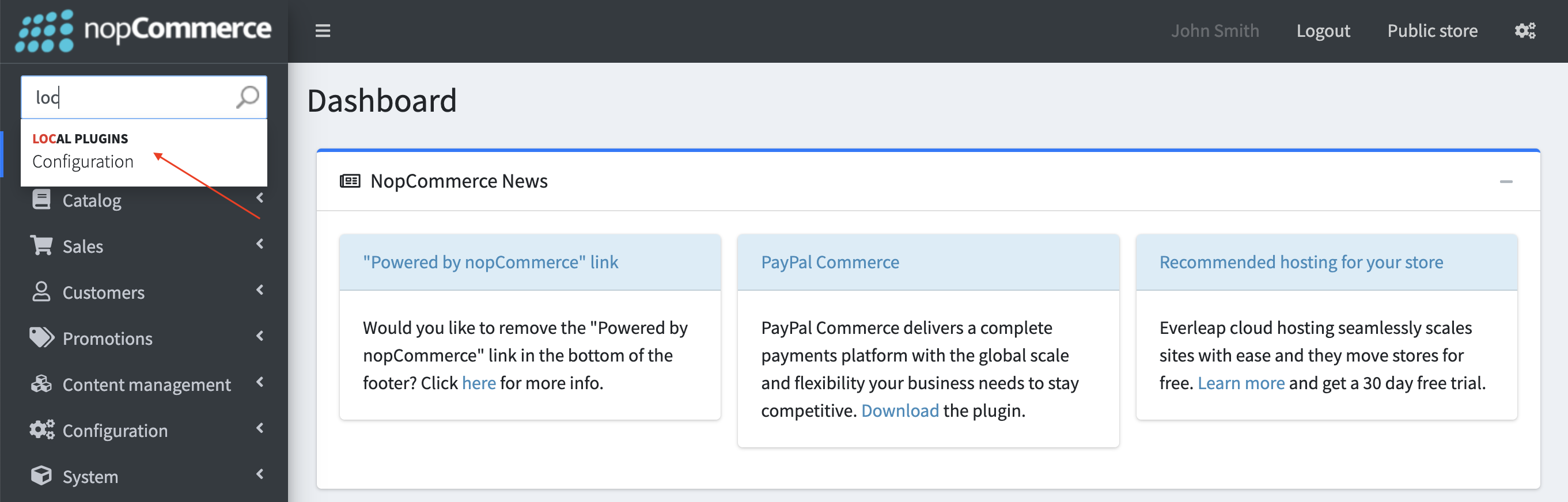
Navigate to Configuration > Local plugins.
-
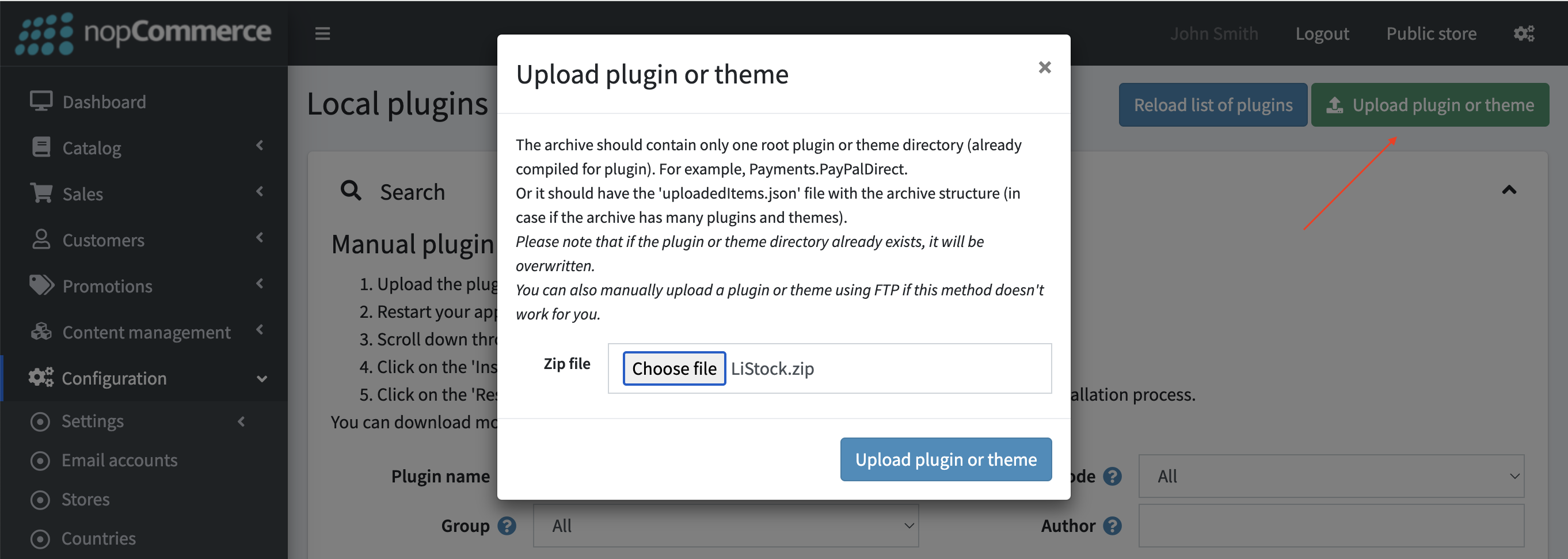
Click Upload plugin or theme and select the ZIP file you downloaded in step 2.
- Once uploaded, in the top panel, click Restart application to apply changes.
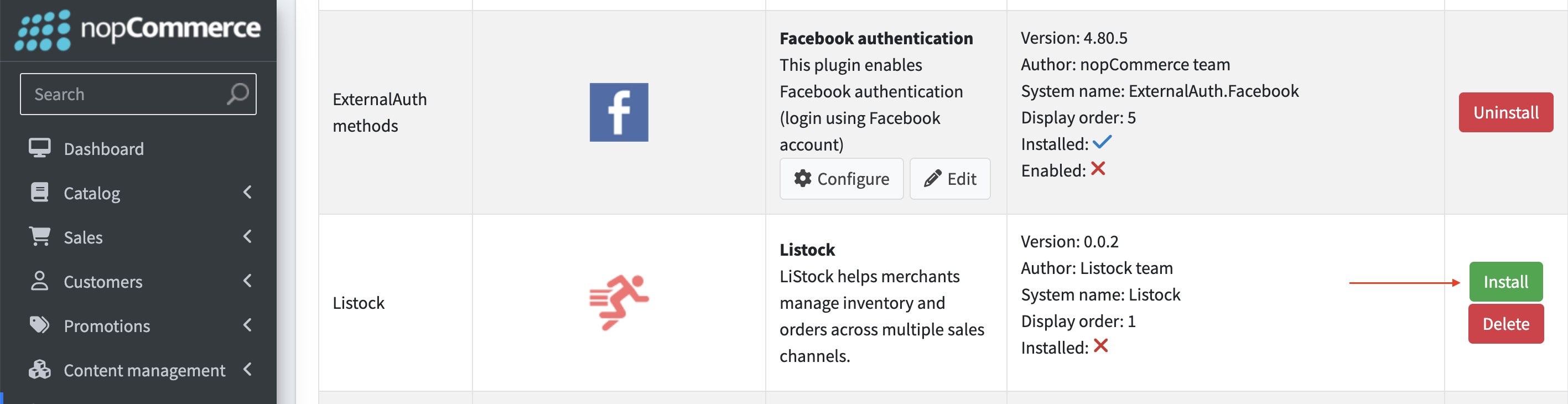
- Locate the Listock plugin in the plugin list.
-
Click Install.
- After installation, in the top panel, click Restart application to apply changes again.
-
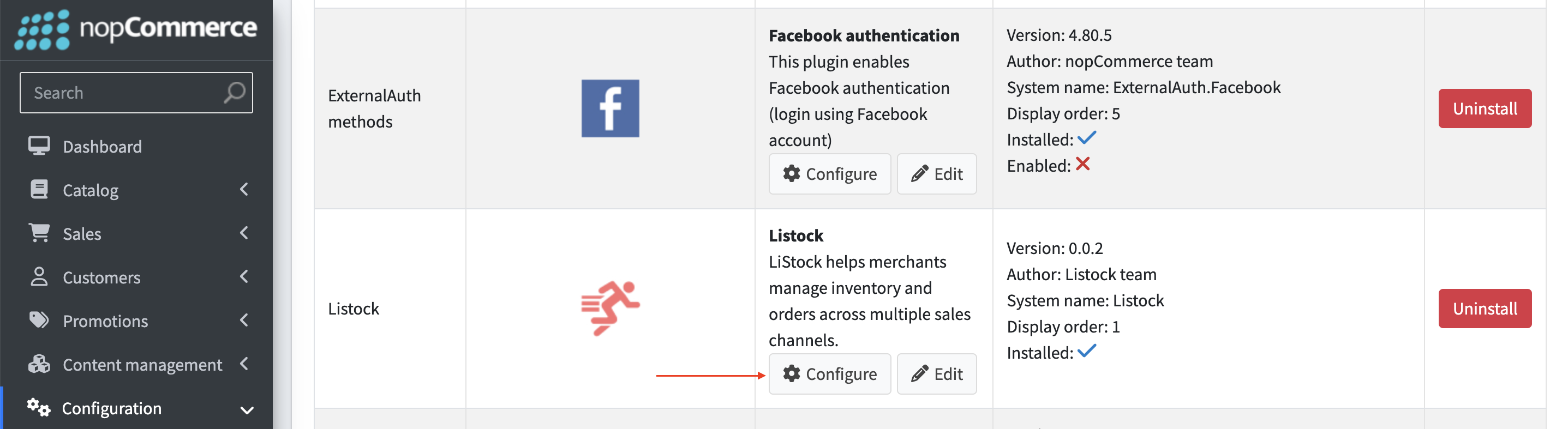
Then click Configure next to the Listock plugin.
-
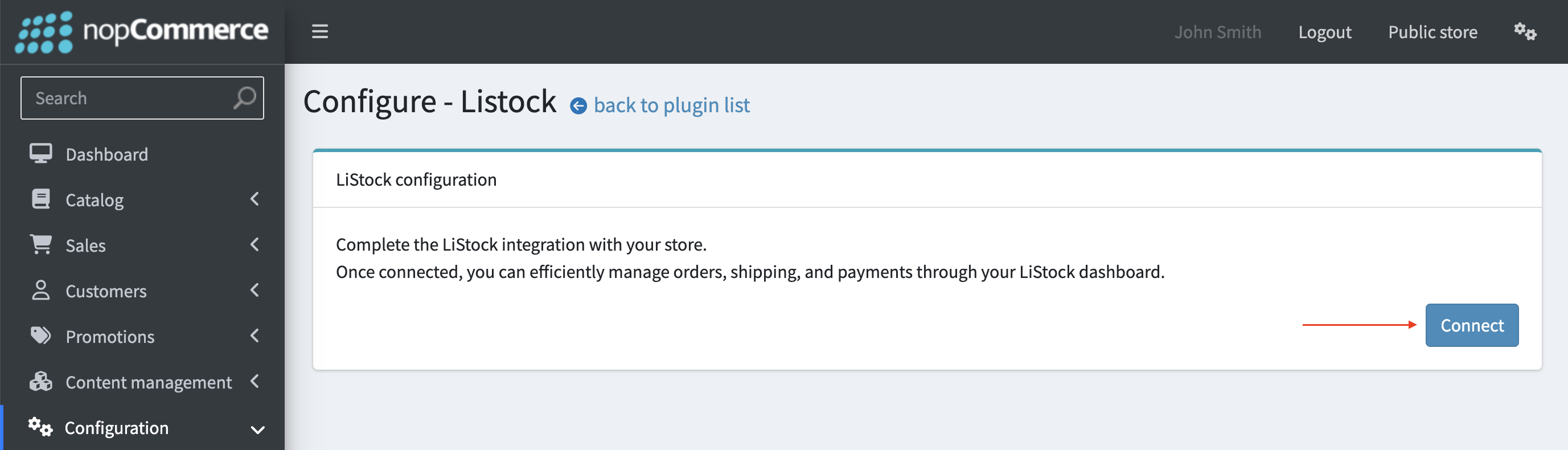
On the plugin settings page, click Connect to be forwarded to the Listock Admin panel.
-
Sign in to Listock, then on the Admin page click Connect again to complete the integration.
After Integration
- Your nopCommerce store will be synced with Listock.
- New orders, shipping updates, and payment statuses will be transmitted automatically.
- You can manage everything from a single dashboard.
Optional: Listock also offers a matching storefront theme for nopCommerce. The integration works without it — if you would like to use it, follow the Listock theme installation guide.
Need help? Contact our support team or use the live chat in your Listock admin panel.
nopCommerce is a trademark of its respective owner. Listock connects to nopCommerce stores through its own plugin and does not represent nopCommerce.